Build Your Backrooms Multiplayer and Friends
Invite up to five friends, test catches together, and explore community mazes without scripts or exploits.
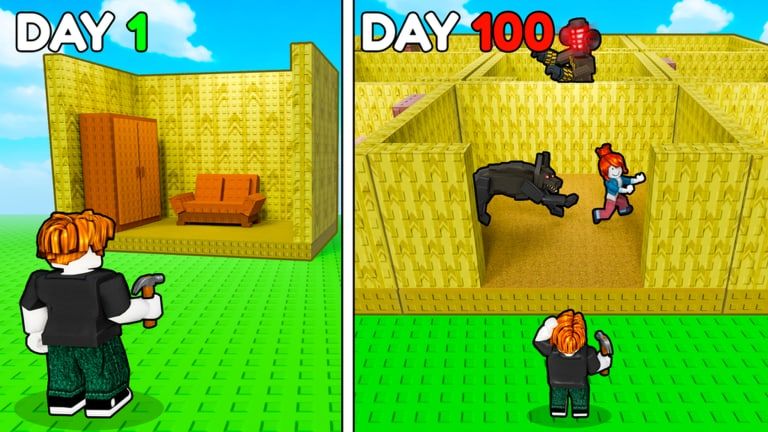
Build Your Backrooms by Wind Sun Moon [WSM] is built for small-group Roblox sessions: each server holds six players, enough for you plus five friends to build, sprint-test mazes, and hop into explore mode without needing third-party scripts. The game runs on official place 134363641369914 (universe 10376944238), launched June 22, 2026, with around two million visits and strong concurrent traffic near twelve thousand players at peak. Multiplayer does not change the core loop — monsters catch visitors for cash, including Offline Earnings when you log off — but friends dramatically speed up layout QA and make Explore Other Mazes more fun.
Finish Getting Started solo first so everyone in your group understands build menus and visitor toggles.
Six-player servers explained
Roblox instances for this experience cap at six accounts. That limit applies whether you join a public server or a private friend session:
- Public servers — Mix of builders and explorers; good for watching how strangers react to your maze.
- Private or friend servers — Controlled group for coordinated testing; still subject to the six-player cap.
- Same-server building — Each player typically works on their own plot while sharing lobby chat; you are not co-editing one maze tile unless the UI explicitly allows it.
If a seventh friend wants in, someone must leave or spin up a second server invite. Plan accordingly for squad nights.
Inviting friends step by step
Roblox friendship invites work like any other experience:
- Open Build Your Backrooms from search or the official place link on the wiki home page.
- Tap the Roblox menu (three lines or Roblox icon depending on platform).
- Choose Invite Friends or share the game page link directly.
- Friends accept and pick the same server if you want shared explore runs — coordinate in Discord or party chat if Roblox shows different instance numbers.
- On mobile, confirm camera and movement permissions so testers do not misread Controls during sprints.
For repeat sessions, pin the game to your Roblox favorites so the group rejoins faster after patches listed on Updates Hub.
Co-op maze testing workflow
Friends are the cheapest QA tool in the game. A structured test beats ten solo walkthroughs:
Blind sprint — Tester runs from spawn without watching you build. Note every monster whiff and early escape.
Commentary run — Tester narrates hesitation points; you mark T-junctions for future How to Catch Players placements.
Race mode — Two friends run different routes after a fork; reveals which branch leaks speedrunners.
Mobile vs PC split — One friend on touch, one on keyboard; pathing differences expose corners PC-only builders miss.
After each round, adjust hallways per How to Build a Maze, republish visitor access, and rerun. Three clean catches across blind sprints is a reasonable bar before calling a layout mid-game ready.
Social explore with a group
Explore mode supports squad play:
- Queue into community mazes together and compare exit times.
- Debate which fork fooled the group — then implement similar ideas at home.
- Rotate who leads navigation so everyone learns layout vocabulary.
Explore rewards still follow individual accounts; streak or visit cash rules are in How to Earn Cash and may change on patch days. Social explore is primarily for learning and fun, not replacing your own monster income.
Balance group nights: half the session on group explore, half rebuilding your plot with new ideas. See Explore Other Mazes for etiquette.
Building alongside friends without conflict
You cannot steal another player’s plot, but you can distract each other in chat during precise tile placement. Tips for parallel building:
- Mute or move voice during fine placement, then unmute for tests.
- Share spend advice using Cash Progress Tips — avoid peer pressure into cosmetic buys.
- Compare catch rates, not flex rare monsters — Tier List efficiency matters more than showroom rarity.
- Run Maze Design Checklist together before anyone publishes a public layout.
If one friend is still on straight-hall layouts, point them to Tips and Common Mistakes before they burn cash on decor.
Chat safety and Roblox moderation
Multiplayer adds social risk alongside fun:
- Never share passwords or Roblox security codes, even with close friends.
- Ignore “free Robux” or script links in chat or Discord DMs — see Scripts Hub; none are verified safe here.
- Use Roblox report for harassment, inappropriate content, or scam links.
- Restrict voice for younger players; Roblox voice rooms vary by account settings.
- Be cautious joining random VIP servers advertised in comments — stick to official Wind Sun Moon [WSM] place ID 134363641369914.
The developer’s Roblox group (480951000, about fifty-two thousand members) is the legitimate channel for announcements — not random YouTube comment codes.
You do not need scripts for co-op
Some players ask whether multiplayer requires Scripts Hub automation for synchronized building or infinite cash. It does not. Wind Sun Moon [WSM] designed six-player servers, friend invites, and explore queues into the base game. Scripts risk account moderation and teach bad layout habits because exploits skip the catch feedback loop.
Legitimate co-op advantages:
- Faster blind testing
- Shared explore learning
- Morale to finish rebuilds
- Friendly competition on escape times
None require executors or external tools.
Offline play and friends
When your group logs off, your monsters keep catching per official offline rules — friends do not need to stay online for your idle clock. Remind testers that logging out on an empty plot wastes idle income; place catchers before ending squad night. Full math in Offline Earnings.
Codes and group events
No verified promo codes exist at publish time, but group events may later offer lobby meetups or code drops. Watch Codes Hub and the WSM group when Wind Sun Moon posts strings — redeem via How to Redeem Codes if that page exists on the wiki.
Suggested weekly squad routine
| Day | Activity |
|---|---|
| Build night | Two friends blind-test your maze after edits |
| Explore night | Group runs three community mazes, notes one fork idea each |
| Upgrade night | Compare Tier List purchases, no peer Robux pressure |
| Offline check | Everyone claims idle cash before spending together next session |
Related guides
| Topic | Link |
|---|---|
| First hour solo | Getting Started |
| Explore etiquette | Explore Other Mazes |
| Catch placement | How to Catch Players |
| Income loop | How to Earn Cash |
| Common errors | Tips and Common Mistakes |
| Input reference | Controls |
Six players is enough for a permanent testing crew — invite friends, sprint your hallways, and keep the social loop inside official Roblox tools.
Frequently Asked Questions
Quick answers for maze builders and explorers.
How many friends can join one Build Your Backrooms server?
Up to six players total per server — you plus five friends. A seventh player needs someone to leave or a new server instance.
Can friends edit my maze together?
Each player typically builds on their own plot in the same server. Co-op means testing and explore together, not shared edit access unless future patches add it.
Do I need scripts to play with friends?
No. Friend invites, six-player servers, and explore mode are built in. Avoid unverified scripts listed on Scripts Hub.
How should friends test my layout?
Run blind sprints from spawn and report escape points. Use that data to move monsters per How to Catch Players.
Is voice chat required?
Optional. In-game text chat or external voice both work; pick what fits your group's safety preferences and Roblox account settings.