Redeem Build Your Backrooms Codes
Exact steps, typo fixes, and what to do when redemption fails on PC or mobile.
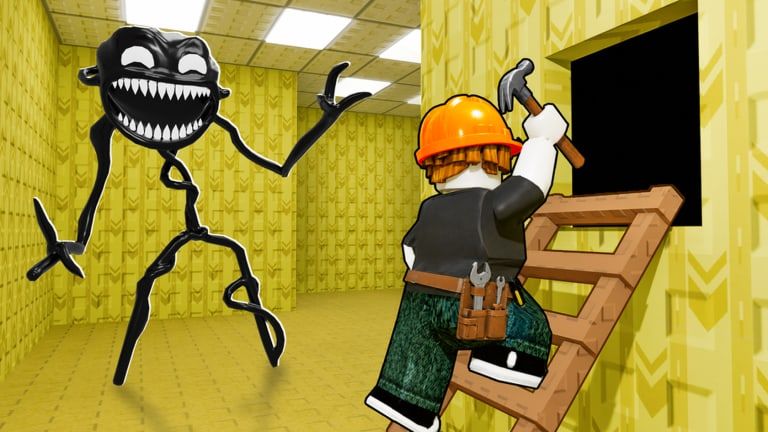
Redeeming a promo code in Build Your Backrooms should take less than a minute when the string is still active and you type it exactly as Wind Sun Moon [WSM] published it. This guide walks through the in-game flow on PC, mobile, and console, then covers every common error message so you do not waste a limited-use code on a fixable mistake.
At publish time there are no verified active codes, but the redemption menu still exists for future drops. Learning the steps now means you can claim the next gift the moment it goes live on the Codes Hub.
Before you redeem
Complete these checks first:
- Play the official experience — Use place ID 134363641369914 or the link on our Codes Hub. Fake copy games sometimes mimic UI but cannot grant real rewards.
- Finish the tutorial — Some Roblox titles lock codes until you own a plot or pass the intro. If the Codes button is greyed out, finish Getting Started objectives first.
- Copy from an official source — Group shout, game description, or a verified social post from Wind Sun Moon [WSM]. Avoid reposts that add spaces or change letter case.
- One account, one claim — Most codes are per-player. Alt accounts may work, but main-account progress is what you want to boost.
Step-by-step redemption
These steps match the usual Roblox builder pattern; minor UI moves after patches will be noted on Updates Hub.
On PC
- Launch Build Your Backrooms from Roblox and join any public server (max six players).
- Look along the left or top edge of the screen for a Codes or Settings icon. Some builds nest Codes inside the shop menu — open the cart or store if you do not see it immediately.
- Click Codes to open the text field.
- Paste or type the code exactly — preserve capitals and numbers. Do not add spaces before or after.
- Press Redeem, Enter, or the confirm button.
- Watch for a green success toast and check your cash bar or inventory. Cash rewards update instantly in most cases.
On mobile
Mobile Roblox uses the same server-side redemption, but typing is where players fail:
- Tap the Codes field once and use paste from clipboard if you copied from Discord or the group page.
- Disable auto-correct for the code string; phones love to “fix” capitalization and break case-sensitive codes.
- If the keyboard covers the confirm button, scroll the panel or rotate to landscape on tablets.
On Xbox or PlayStation
Console players should copy codes on a phone, then use the on-screen keyboard slowly. Double-check each character — console input has no paste shortcut in all Roblox builds.
What a successful redemption looks like
You should see a confirmation message naming the reward (cash amount, item, or monster unlock). Your balance or collection updates without rejoining. Take a quick screenshot if the reward is a limited cosmetic; support requests are easier with proof.
Spend cash wisely: hallways and monsters that improve visitor catches outperform one-off decorations. Pair new funds with How to Build a Maze and How to Catch Players so the bonus keeps paying off through Offline Earnings.
Troubleshooting common errors
”Invalid code”
- Typo or wrong capitalization — re-copy from the official post.
- Code never existed — ignore reposts from non-official accounts.
- Wrong game — confirm you are in Build Your Backrooms by Wind Sun Moon [WSM], not a fan clone.
”Expired” or “Code expired”
The developer set a time window that ended. No trick bypasses expiry; wait for the next drop on Codes Hub.
”Already redeemed”
You claimed it on this account already. Codes are one-time per player unless the studio explicitly labels a code reusable (rare).
Button missing or greyed out
- Finish tutorial steps.
- Rejoin after a patch — old servers sometimes cache outdated UI.
- Check Updates Hub for UI moves.
Reward not visible
Wait thirty seconds, open inventory or monster roster, then rejoin once. If still missing, note the code, time, and username before contacting Roblox support — the studio cannot restore codes you never successfully redeemed.
Redemption safety
- Never enter your Roblox password on a website that asks you to “verify” a code.
- Ignore DMs offering exclusive codes in exchange for items or Robux trades.
- Do not install third-party auto-redeem tools; read safety notes on Scripts Hub.
After you redeem
Codes are a head start, not the whole game. Use rewards to:
- Buy your first strong monster instead of the weakest catcher.
- Extend hallways to create choke points explained in How to Catch Players.
- Save toward building pieces that boost How to Earn Cash per visit.
When Wind Sun Moon [WSM] posts a new string, we update Codes Hub the same day with reward details and expiry notes when known.
Frequently Asked Questions
Quick answers for maze builders and explorers.
Where is the Codes button in Build Your Backrooms?
Check the side menu or shop panel for a Codes icon. If it is missing, finish the tutorial and rejoin after updating. UI placement can shift with patches.
Are Build Your Backrooms codes case-sensitive?
Yes. Type or paste the string exactly as published, including capital letters and numbers, with no extra spaces.
Can I redeem the same code on two accounts?
Usually each account can claim once. Using alts is allowed by Roblox rules, but rewards on a throwaway account do not transfer to your main maze.
What if redemption succeeds but I got no cash?
Wait briefly, check inventory and monster tabs, then rejoin one server. If the reward still missing, screenshot the success message and contact support with the code and time.
Is there a code list inside the game?
The game shows an entry field, not a list of active codes. Use this wiki's Codes Hub and the Wind Sun Moon [WSM] Roblox group for verified strings only.